A monthly carbon close works the way a finance close does: a short, fixed routine at the end of every month that keeps the books complete. Companies that do it spend twenty minutes a month. Companies that skip it spend weeks at year-end rebuilding twelve months of invoices.
The six steps
- Open the action inbox, which lists last month's missing facility-months and anything that needs confirming.
- Upload last month's electricity, heating and fuel invoices.
- Enter what has no invoice: production volumes, fuel-card litres, business trips.
- Confirm any value the scanner flagged.
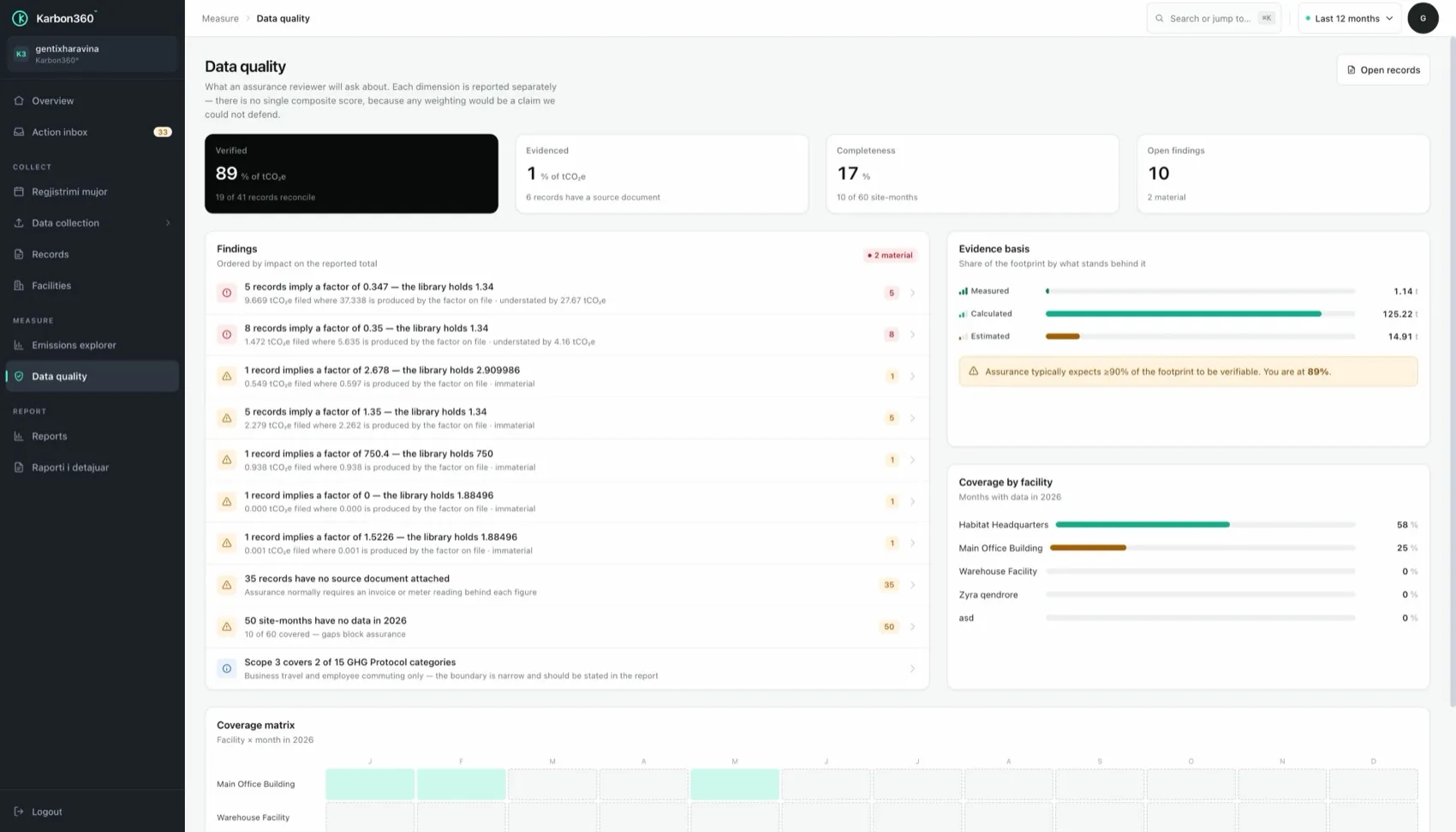
- Glance at data quality. Coverage for the month should read complete.
- Check the dashboard trend. A month that jumps or drops sharply is usually a typo or a missing bill.
Why a monthly carbon close works
Each month is small, the paperwork is still on someone's desk, and the person who knows why a bill looks strange still remembers. A gap closed during the year never becomes a finding at audit. A gap discovered by a verifier is a credibility problem.
The mistake the routine catches
If one month is double the others, it is almost always a unit mix-up (kWh against MWh, litres against cubic metres) or the same invoice entered twice. In a monthly routine you see it the next day. In a year-end rebuild you find it by accident, or not at all.
Who does what in a multi-site company
Give each facility a named owner, have them clear their own items by the 15th of the month, and let the finance lead review data quality afterwards. Enter each month's data within the first two weeks of the following month. The detail is in the monthly emissions data routine, and the checks it relies on are in emissions data quality.