How to use Karbon360: from first login to a report your bank accepts
This guide shows how to use Karbon360 from your first login to a GHG inventory that a bank, a customer or a verifier can accept. It follows the user manual, and every step links to a detailed guide.
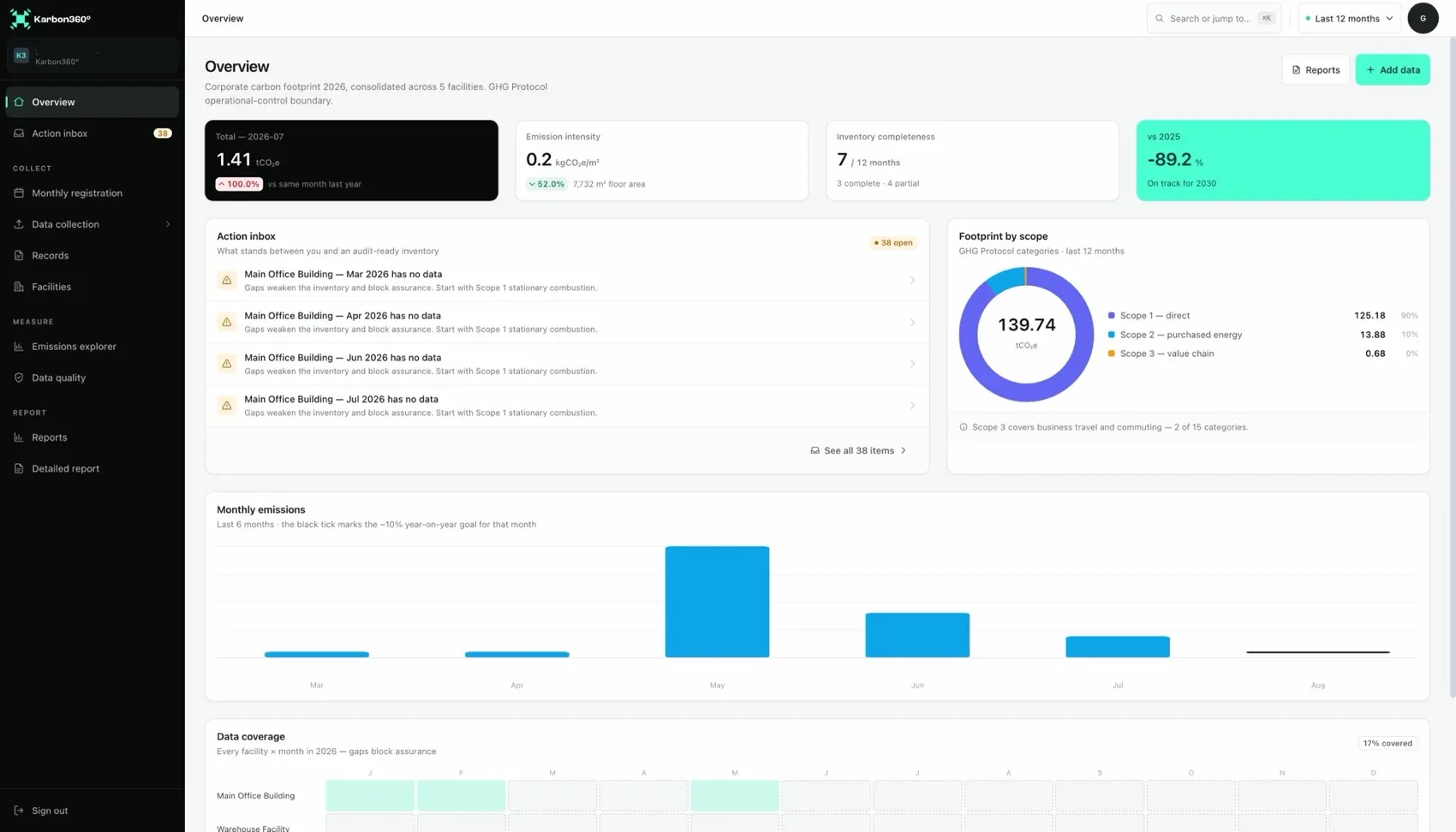
How to use Karbon360 in five parts
- Get started. Know what to gather (GHG inventory checklist), then set up facilities. Follow the five-day onboarding plan.
- Collect data. Scan electricity invoices, use CSV import for meter and fuel-card data, and keep to the monthly routine.
- Enter each scope. Scope 1 fuel and process emissions, Scope 2 electricity, and Scope 3 travel and commuting.
- Check your data. Open any figure's calculation trace and work through data-quality findings.
- Report. Generate the report and answer the bank, buyer or CBAM request.
Accounts, languages and access
Karbon360 is a cloud application, so there is nothing to install. An account is created from a personal registration link sent by email; the link expires, and a new one can be requested. In Profile you check the company name, which appears on the cover of every report, upload your logo, and choose an interface in Albanian or English. Reports are always in English.
Several people can work in the same company. Give each facility a named owner and never share one login between people.
Three ways to onboard
- Karbon360-led. Our team runs a remote data walkthrough with you and structures the first month together.
- Partner-led. A local partner, trained by us, walks you through your data in your language.
- Self-serve. You follow these guides step by step, and support stays one message away. An in-app assistant is on the roadmap.
Want your team trained on Karbon360?
We run hands-on training for finance and operations teams, on your own data, in Albanian or English. Training is a paid service, quoted per team. Tell us who needs to learn what and we will send a proposal.