How to scan electricity invoices into your GHG inventory
Document scan reads electricity and fuel invoices and pre-fills the record. Nothing is silently accepted: any value the scanner is unsure of is shown to you to confirm. This is how to scan electricity invoices, the fastest route to your Scope 2 figure.
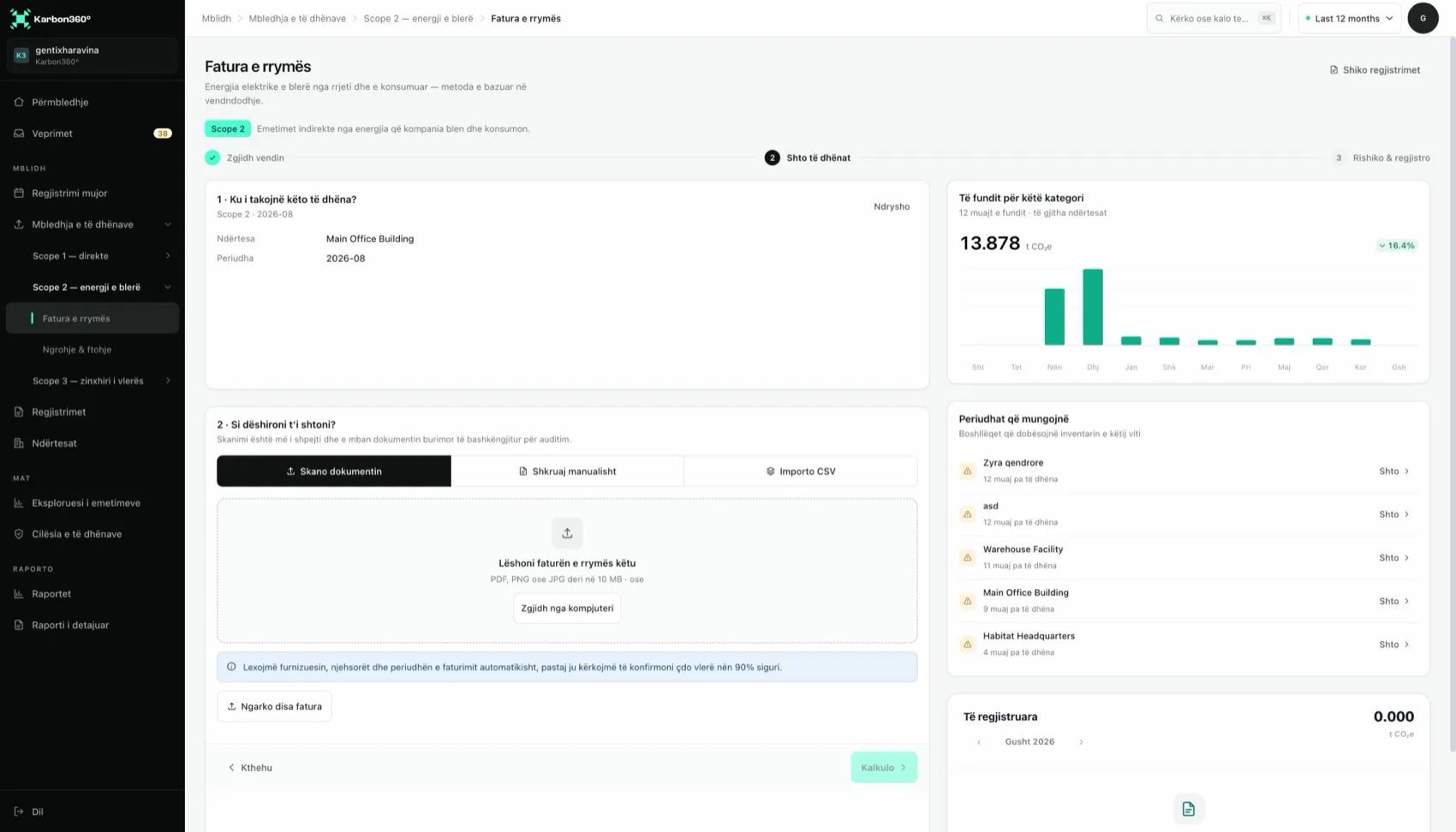
How to scan electricity invoices, step by step
- Choose the facility the invoice belongs to.
- Upload the file: a PDF, or a clear photo taken with your phone.
- Review the extracted fields: supplier, meter, period and quantity (kWh, litres, m³). Fields the scanner is unsure of are highlighted.
- Correct or confirm each highlighted value against the paper invoice.
- Save. The record is calculated immediately and the original document stays attached as evidence.
Getting a good scan
- Prefer the original PDF from the supplier's portal over a photo.
- For photos: flat surface, good light, the whole page in frame, no shadows.
- Check that the period is the consumption month, not the issue date.
- If the invoice shows several meters, confirm the quantity matches the meter for this facility.
- One invoice per upload. If a scan fails, use manual entry and attach the file as evidence.
Suppliers keep the same layout month to month, so after you confirm the first invoice from a supplier, later invoices from them are usually read with fewer questions.
Special cases
- Day and night tariffs: the total kWh is what counts.
- A bill covering two months: split the kWh by days into the two periods.
- Shared building, one meter: enter your share, by sub-meter or floor area, and note the method on the record.
- Own solar panels: enter only electricity bought from the grid. Self-generated renewable power has no Scope 2 emissions.
- Generator electricity: not Scope 2. Enter the generator's fuel under Scope 1.
The same invoice uploaded twice shows up as electricity that looks doubled. Delete the duplicate.
Keep reading
- How to calculate Scope 2 emissions — what happens to the kWh next
- CSV import for emissions data — when you have many months at once
Want your team trained on Karbon360?
We run hands-on training for finance and operations teams, on your own data, in Albanian or English. Training is a paid service, quoted per team. Tell us who needs to learn what and we will send a proposal.