The calculation trace: how every Karbon360 figure shows its work
A calculation trace is the stored path from an input to a result. In Karbon360 every record carries one: the activity data you entered, the emission factor applied, that factor's version and source, and a server-side check that recomputes the result independently.
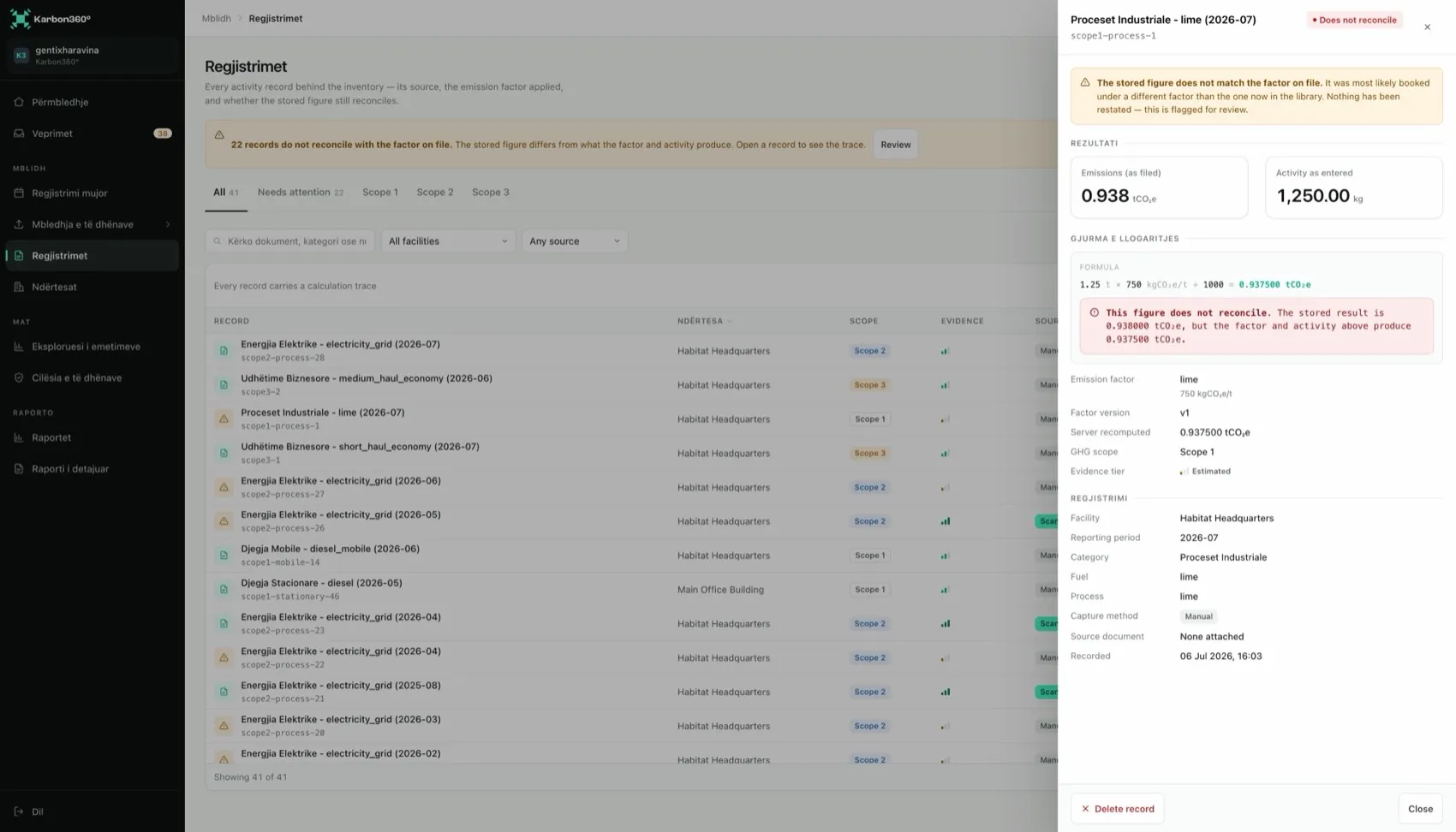
What a calculation trace contains
- Activity data — what you entered or confirmed, such as 18,420 kWh. Check it against the document.
- Factor, value, version and source — exactly which factor was applied. Versions are retained.
- Server check — every stored result is independently recalculated. A mismatch is shown as "does not reconcile".
- Measured or estimated — from an invoice or meter, or from an assumption such as a distance-based estimate.
- Evidence — the original document, one click away.
The server check: why a figure cannot quietly drift
Every stored result is recalculated on the server from its own data and factor. If the two disagree, the record is flagged as "does not reconcile" and appears in the action inbox, ranked by how much of the total it affects. The platform does not restate the number to make the finding go away.
Measured, estimated and evidenced
A record with its source document attached is evidenced. Without one, it counts as less certain. Estimated values are allowed, but they are marked as estimated in the report, and verifiers look at them first. The practical rule is the one in the manual: do not estimate what you can measure.
Editing and deleting records
Correct a wrong quantity, unit or period by editing the record. The result is recalculated and the trace updated. Delete only true duplicates. If an invoice was scanned twice, delete the second scan and its record goes with it.
How to use the calculation trace in front of a verifier
- Pick a record yourself, not the one you rehearsed.
- Open it and read out the factor, its version and its source.
- Open the attached document and show that the quantity matches.
That single moment explains an inventory better than any slide. If a number cannot survive it, you want to find out before your bank or your customer does.
Keep reading
- Emission factors — sources, versions and the Balkan grid problem
- Emissions data quality — coverage and reconciliation
- How to answer an emissions data request — what to send a bank, buyer or CBAM importer